
AC Modes Explained: Cool, Dry, Fan, Auto, Heat, Sleep and Turbo
Quick answer: Your AC remote has five main modes. Cool lowers the room temperature, Dry removes moisture with the fan on low, Fan only moves air, Auto chooses for you based on the room temperature, and Heat warms the room on heat and cool models. On top of the mode you can add Sleep, which on Gree models raises the cooling setting by 1°C after one hour and 2°C after two; Turbo, the fastest fan speed for a quick pull-down; Eco, which limits power on models that have it; and I Feel, which reads the temperature at the remote. For most days, Cool at about 26°C uses the fewest units while keeping you comfortable.
AC modes and symbols at a glance
| Mode | Usual symbol | What it does | Use it when |
|---|---|---|---|
| Cool | Snowflake | Compressor cools the air to your set temperature | Hot days |
| Dry | Water drop | Removes moisture; fan runs on low | Humid, muggy days, such as the monsoon |
| Fan | Fan blades | Moves air only; no cooling or heating | Mild days, or to air out the room |
| Auto | A, or circling arrows | Picks cooling or heating from the room temperature | Spring and autumn, when days change |
| Heat | Sun | Runs the heat pump in reverse to warm the room | Winter, on heat and cool models |
Symbols vary a little between brands, so check the manual for your remote. Gree’s manual lists the five modes in the order Auto, Cool, Dry, Fan and Heat, selected with the MODE button.
Cool mode
The normal summer mode. The compressor runs to bring the room down to the temperature you set; an inverter AC then slows down to hold it. Set it as high as is comfortable: ENERGY STAR suggests about 78°F (26°C). Setting 16°C does not cool the room faster, it only keeps the compressor at full power for longer. For running costs, see how many units a 1.5 ton inverter AC uses per hour.
Dry mode: what it means and when to use it
Dry mode is for humid weather. The AC still cools its coil, which pulls water out of the air, but runs the fan slowly; Gree’s manual notes the fan runs at low speed in dry mode. On muggy days when the temperature is not very high, removing moisture can make the room feel comfortable without chilling it.
- Dry mode vs cool mode: cool mode targets temperature; dry mode targets humidity. On a hot, dry June afternoon use Cool; on a sticky monsoon evening try Dry.
- Units: dry mode still runs the compressor, so do not assume it is free. Your units depend on how hard the compressor works.
Fan mode
Gree’s manual describes fan mode as only blowing air, with no cooling and no heating. It uses far less power than cooling, because the compressor is off. Use it on mild evenings, or for a few minutes after cooling to dry the indoor coil if your AC has no automatic drying function.
Auto mode
In auto mode, the AC operates automatically according to the temperature it senses, choosing cooling or heating on heat and cool models. It is convenient in spring and autumn, but in peak summer and winter you get more control choosing Cool or Heat yourself.
Heat mode
Only heat and cool models have it. The AC moves heat from the outdoor air into the room, giving about 3 to 3.7 units of heat for each unit of electricity on the Gree GS-18PITH11W spec sheet. Read our full guide to AC heat mode in winter for the best temperature, units per hour and why the fan waits a few minutes before blowing.
Sleep mode
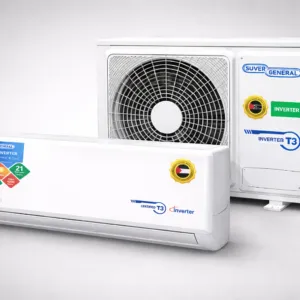
Sleep mode slowly changes the set temperature through the night so you are not too cold while asleep, and saves units. In Gree’s Sleep 1 setting, cooling mode raises the set temperature by 1°C after one hour and by 2°C after two hours, then holds it; in heat mode it lowers it by the same steps. Gree also offers other sleep curves. It is fine to leave Sleep on all night, and it pairs well with a timer.
Turbo mode
Turbo runs the fan at its highest speed to cool a hot room quickly; the Gree GS-18PITH11W lists seven fan speeds from Silent to Turbo, and Super General calls it Turbo or Fast Cooling. Use it for the first few minutes after you come home, then switch back to normal so the room is quieter.
Eco or energy saving mode
Some models have a mode that limits power use. Super General lists an Eco or Energy mode that lowers power consumption on the SGS-181-PK. It may take longer to reach the set temperature on very hot days, so use it in the evening or when the room is already cool.
I Feel and Follow Me
A normal AC reads the temperature at the indoor unit, high on the wall. With I Feel, the remote sends the temperature it senses to the AC, and the unit adjusts to the temperature where you are sitting, according to Gree’s manual. Super General lists I-Feel / Follow Me sensing, and Orient lists Follow Me. Keep the remote near you and in view of the AC.
Other buttons you may see
| Button | What it does | Models in our range that list it |
|---|---|---|
| X-Fan or self-clean | Dries or cleans the indoor coil to stop mould; Gree’s X-Fan keeps the indoor fan running for a few minutes after you switch off from cool or dry mode | Gree (self-clean), Kenwood (i-Clean), Orient (auto clean), PEL (self-cleaning) |
| Quiet or Silent | Lowest fan speed for a quiet room | Gree (Silent speed), Orient (silent mode) |
| Timer | Switches the AC on or off at a set time | Gree |
| Auto restart | Returns to your last settings after a power cut | Gree, Kenwood, Orient, Super General |
| Ampere lock | Caps the current the AC draws, useful on generators and weak supplies | Super General, PEL |
Which AC mode saves the most electricity?
The mode name matters less than three things: the temperature you set, the hours the AC runs and whether it is the right size for the room. For the lowest bill:
- Use Cool at about 26°C, or Dry on humid days when it is not hot.
- Turn on Sleep at night and Eco where your model has it.
- Use Turbo only for a quick pull-down.
- Keep filters clean and the outdoor unit clear.
- Choose the right size: see AC size for your room.
Frequently asked questions
What is dry mode in an AC?
A mode that removes moisture from the air with the fan on low. Use it on humid days when the temperature is not very high; on hot, dry days use Cool.
Which AC mode saves the most electricity?
Fan mode uses the least, because the compressor is off, but it does not cool. For cooling, use Cool at about 26°C with Sleep at night and Eco if your model has it.
What does the sun symbol mean on an AC remote?
Heat mode. It warms the room on heat and cool models. If your AC is cooling only, heat mode will not work.
Is it OK to use sleep mode all night?
Yes. Sleep mode is made for the night: on Gree models it raises the cooling setting by 1°C after one hour and 2°C after two hours, which saves units.
What is turbo mode in an AC?
The highest fan speed, for cooling a hot room quickly. Switch back to normal once the room is comfortable.
What is I Feel on an AC remote?
A feature where the remote measures the temperature where you sit and sends it to the AC, so the room is controlled to your spot instead of the wall unit.
Next steps
Compare the features of every model in our split AC range and read the split AC buying guide. If your AC is on the right mode and still not cooling, use our AC not cooling checklist.
Sources
- Gree, split air conditioner owner’s manual (modes, Sleep, I Feel, X-Fan): greecomfort.com owner’s manual (PDF)
- ENERGY STAR, Room Air Conditioners (thermostat setting): energystar.gov/products/room_air_conditioners
- Product specifications (modes and features): split AC product pages on this site.