
How to Connect Your Mobile to a Smart TV
Quick answer: The easiest way to connect your mobile to a smart TV is to cast: connect the phone and the TV to the same Wi-Fi network, open a Cast-enabled app such as YouTube, tap the Cast icon and choose your TV. This works on TVs with Chromecast built-in (Google Cast), from Android phones and iPhones. To show your whole phone screen, use screen mirroring (Miracast on many Android phones). With no Wi-Fi, use an HDMI cable and a phone adapter.
Method 1: Cast from an app (Google Cast)
Google Cast, built into many smart TVs as Chromecast built-in, lets you send a video from your phone to the TV. Google lists these steps:
- Make sure your phone is on the same Wi-Fi network as the TV.
- Open a Google Cast-enabled app, for example YouTube.
- Tap the Cast icon in the app.
- Select the TV you want to cast to.
- To stop, tap the Cast icon again and choose Disconnect.
Google says you can cast from Android phones and tablets, iPhones, iPads, Mac, Windows and Chromebooks. While the video plays on the TV, your phone works as a remote and you can still use it for other things.
Method 2: Mirror your whole screen (Miracast)
Casting only works from apps that support it. To show everything on your phone, such as photos, a game or a presentation, use screen mirroring. Many Android phones have a quick-settings tile called Cast, Screen Cast, Smart View or Screen Mirroring, depending on the brand; it connects to TVs that support Miracast or Google Cast. Choose your TV from the list and accept the request on the TV if it asks. iPhones use Apple’s own mirroring system, so for an iPhone, casting from apps is the simplest option on most of these TVs.
Method 3: HDMI cable
A cable needs no Wi-Fi and has no delay, which helps for games and presentations. You need an adapter from your phone’s port (usually USB-C) to HDMI, and your phone must support video output over that port; not all phones do, so check your phone’s specifications first. Plug the HDMI end into the TV and select that HDMI input.
What about USB and Bluetooth?
- USB: a USB cable from phone to TV usually only charges the phone. To play your own videos and photos on the TV, copy them to a USB drive and plug that into the TV.
- Bluetooth: TVs use Bluetooth for remotes, headphones and speakers, not to show your phone’s screen.
Which of our TVs have Chromecast or Miracast?
| TV | What the spec sheet lists |
|---|---|
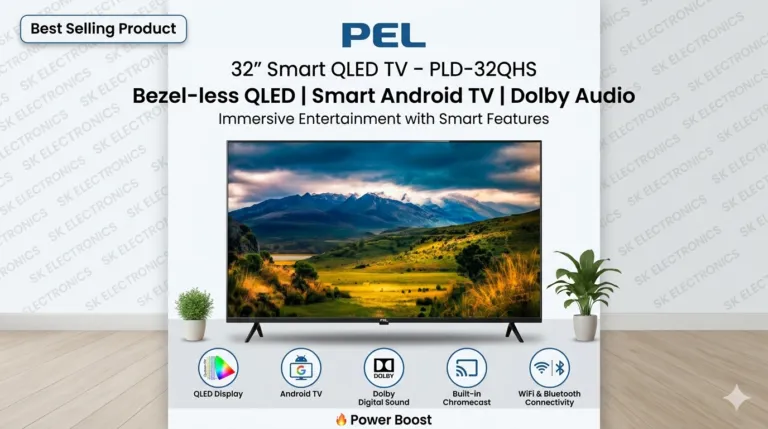
| PEL PLD-32HS (32 inch) | Chromecast, Google Assistant |
| Dawlance 40E22 Blaze (40 inch) | Chromecast built-in |
| EcoStar CX-43Q964 (43 inch) | Chromecast built-in, Google Assistant |
| PEL 50 inch QLED Google TV | Chromecast built-in, Miracast |
Other Google TV and Android TV models generally support casting as well; ask the branch to show you on the model you like.
Casting not working? Quick checks
- Same network. Phone and TV must be on the same Wi-Fi; Google lists this as the first requirement.
- Restart both the phone and the TV, and the Wi-Fi router if needed.
- Update the app you are casting from.
- Router too far? Weak Wi-Fi at the TV causes buffering; move the router closer or use a cable for the TV’s internet.
Frequently asked questions
How do I connect my mobile to my smart TV wirelessly?
Connect both to the same Wi-Fi, open a Cast-enabled app such as YouTube, tap the Cast icon and choose your TV. To show the whole screen, use your phone’s screen mirroring option.
Can I connect my phone to the TV without Wi-Fi?
Yes, with an HDMI cable and an adapter for your phone’s port, if your phone supports video output. Casting and mirroring need a shared network.
Can I cast from an iPhone to an Android or Google TV?
Yes, from apps that support Google Cast. Google says you can cast from iPhones and iPads to TVs with Google Cast.
Can I connect my phone to the TV with a USB cable?
Usually a USB cable only charges the phone. Copy your videos to a USB drive to play them on the TV, or use an HDMI adapter.
Why does my TV not show up when I tap Cast?
Most often the phone and TV are on different Wi-Fi networks. Connect both to the same network, then restart the app.
Next steps
Choose a TV with Chromecast built-in from our LED TV range, and read Google TV vs Android TV to understand the systems. For screen size, see TV size for your room.
Sources
- Google Cast Help, Cast video from Google Cast-enabled apps to your TV: support.google.com
- Google Cast Help, Introducing Google Cast: support.google.com
- Product specifications: TV product pages on this site.